
A NEW WAY TO INTERACT WITH YOUR REPOSITORY
See the code.
Understand the system.
SRM builds a persistent geography of your repository—making its verified structure accessible to people and agents, and its growth traceable across map updates.
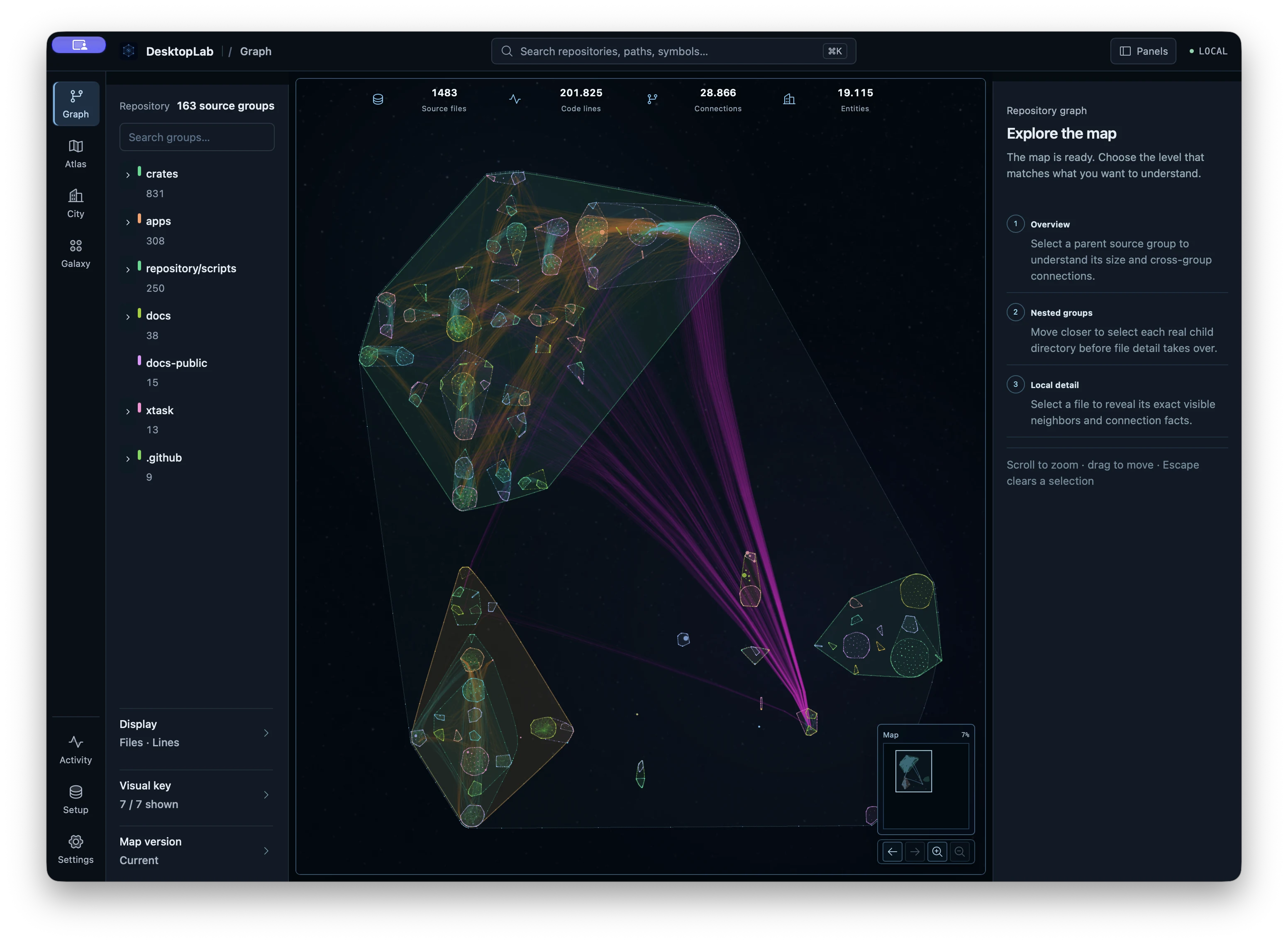
01 / GRAPH
Beyond the tangle.
A structure you can read.
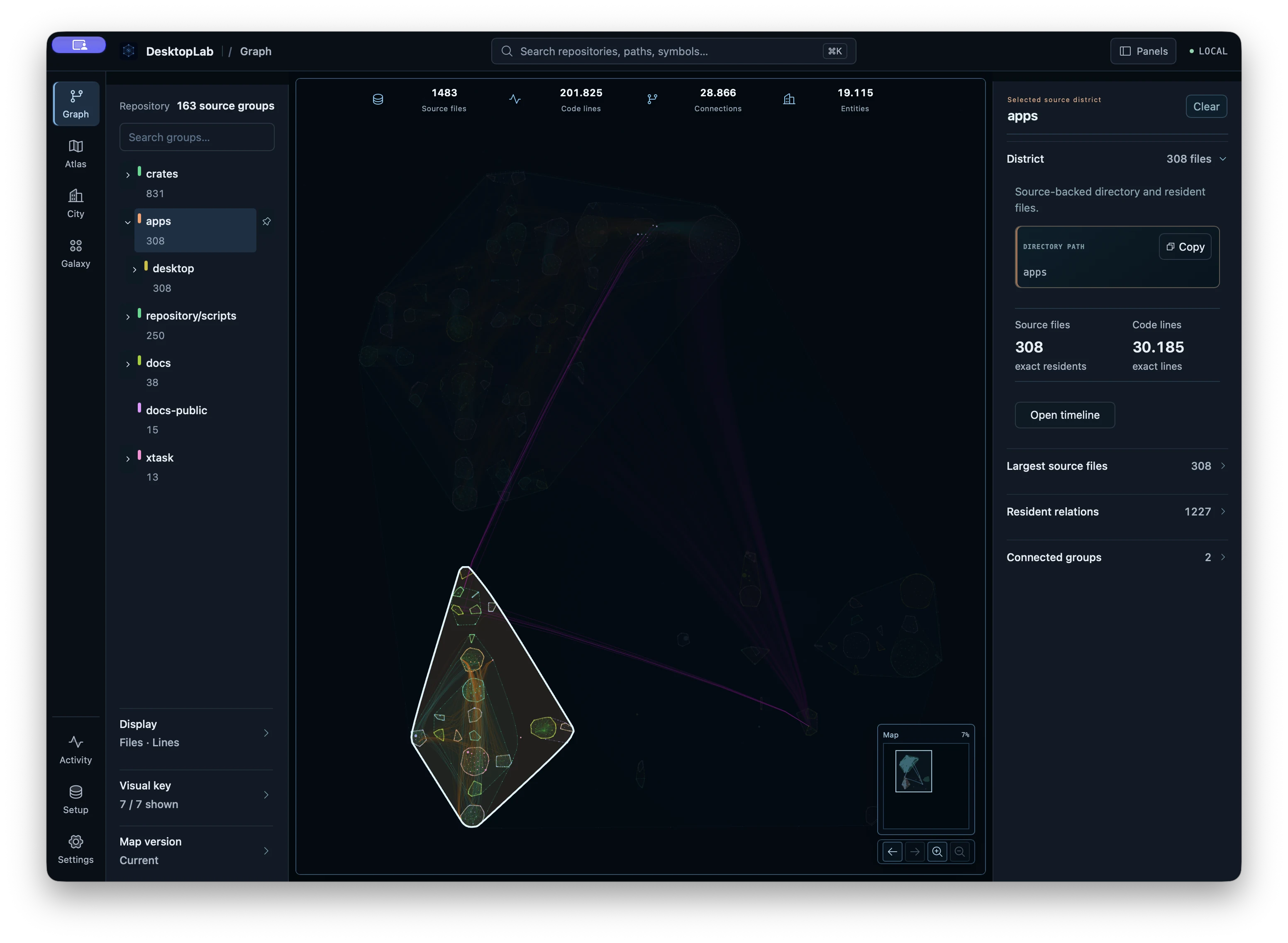
From repository to files and relationships, context stays recognizable as you move closer.
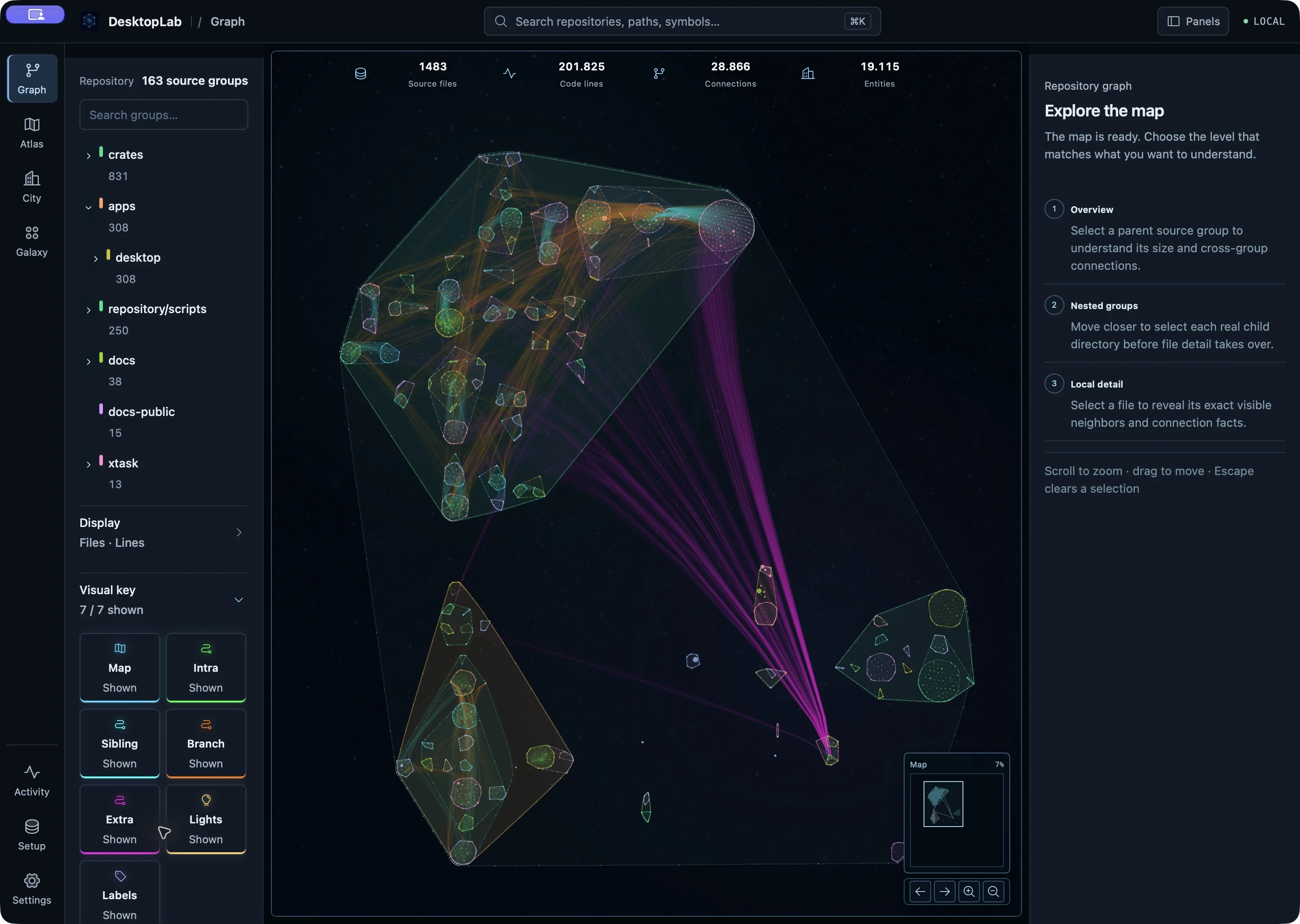
 DIRECTORY 58%
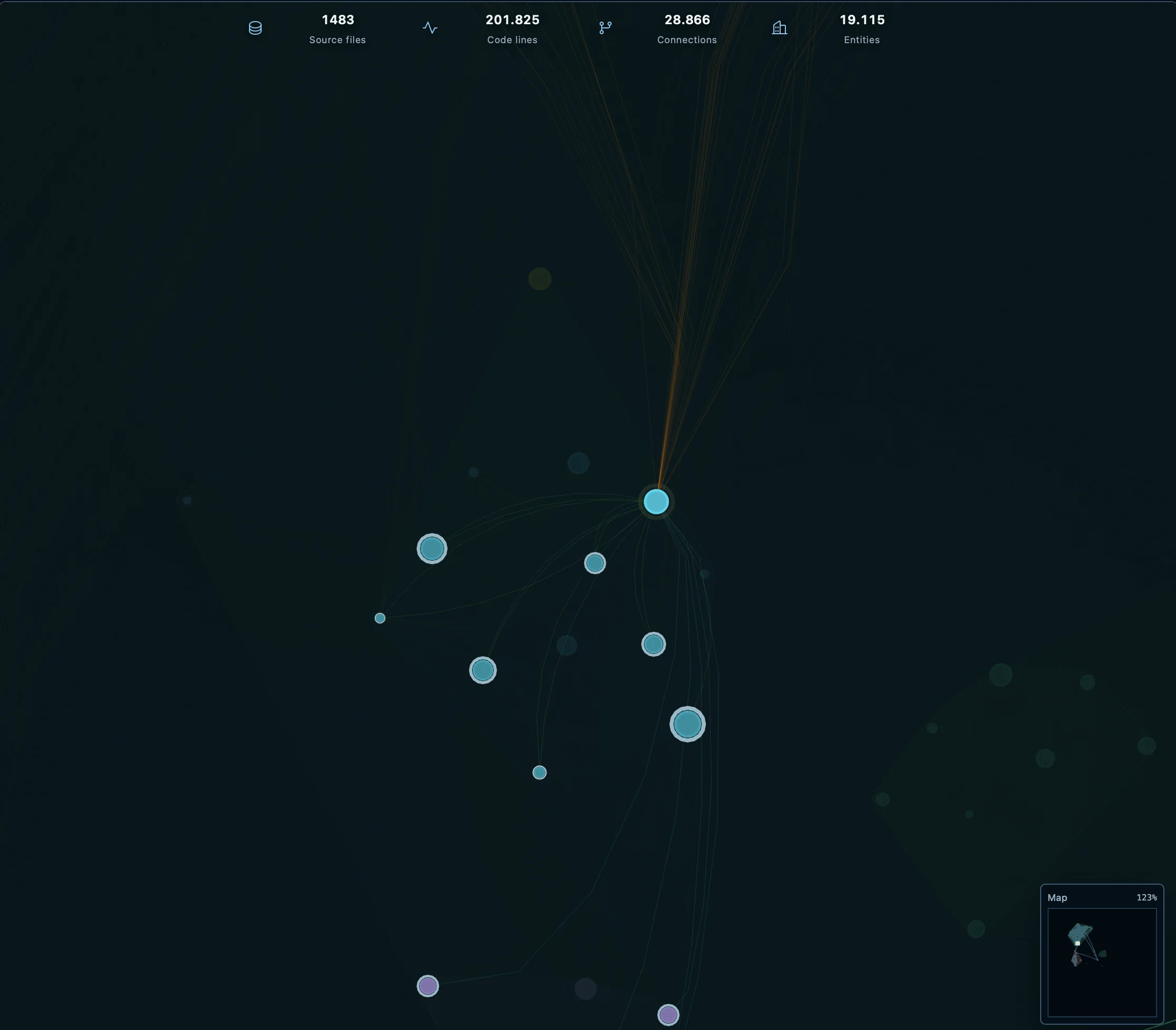 FILE 123%
IN THE DETAIL
Every element
has meaning.
Directories, files and relationships stay recognizable as you move through the map.
A source area keeps its place in the repository hierarchy.
Move closer to a file, then open the source behind it.
Directed routes show how mapped source areas relate.
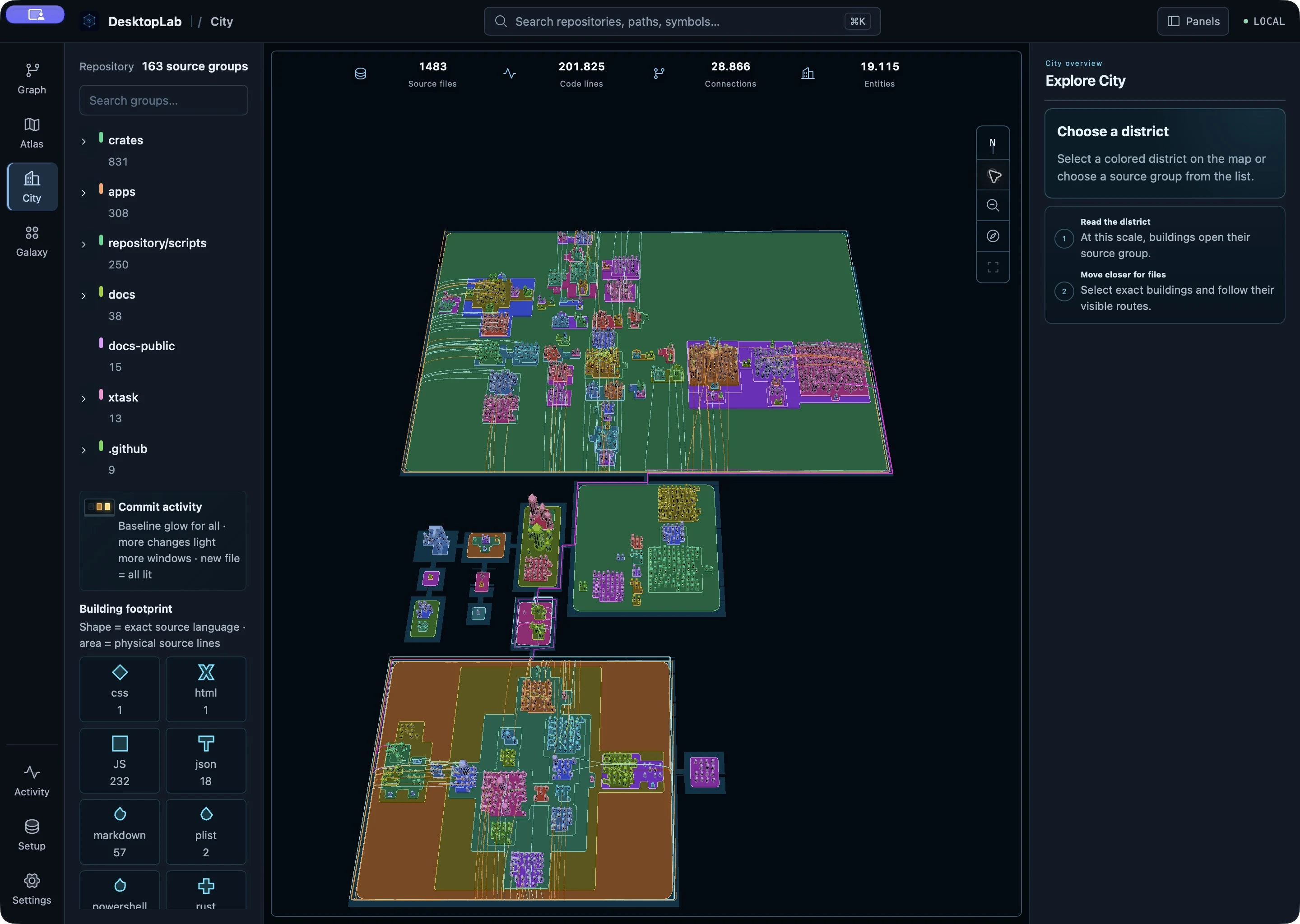
02 / CITY
The system
takes shape.
Graph foregrounds relationships. City reads the same map as a territory: a file's code lines shape its base, source bytes set its height, and language defines its silhouette. Nested directories rise as terraces above their parents, so hierarchy and scale take the lead.
03 / AT SCALE
Not a toy map.
Real codebases.
These are not static renders. Linux and Chromium are verified, navigable maps opened locally on a MacBook Pro with Apple M4 Pro and 24 GiB of unified memory—from repository scale down to exact source.
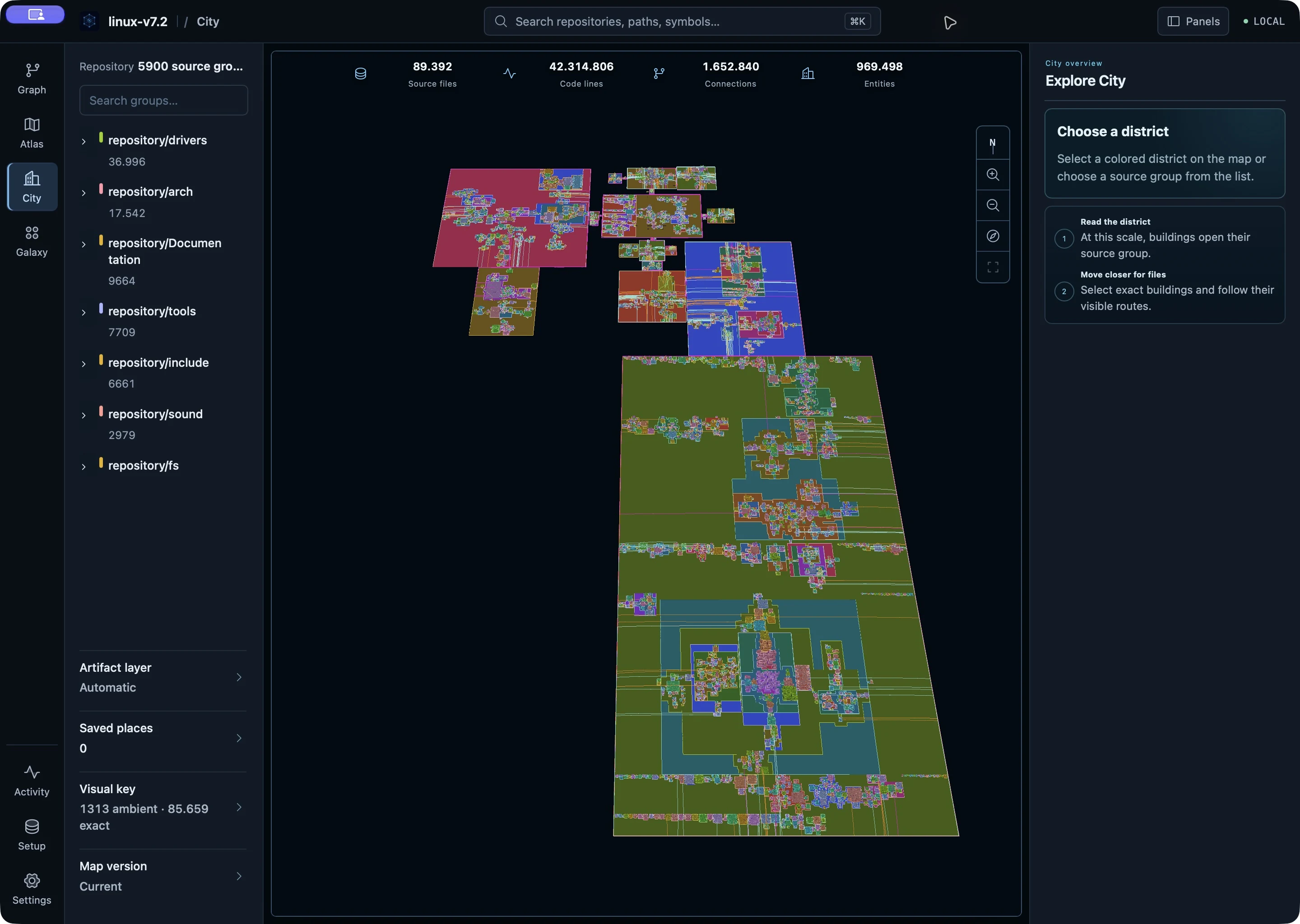
The complete repository becomes a territory of source districts.
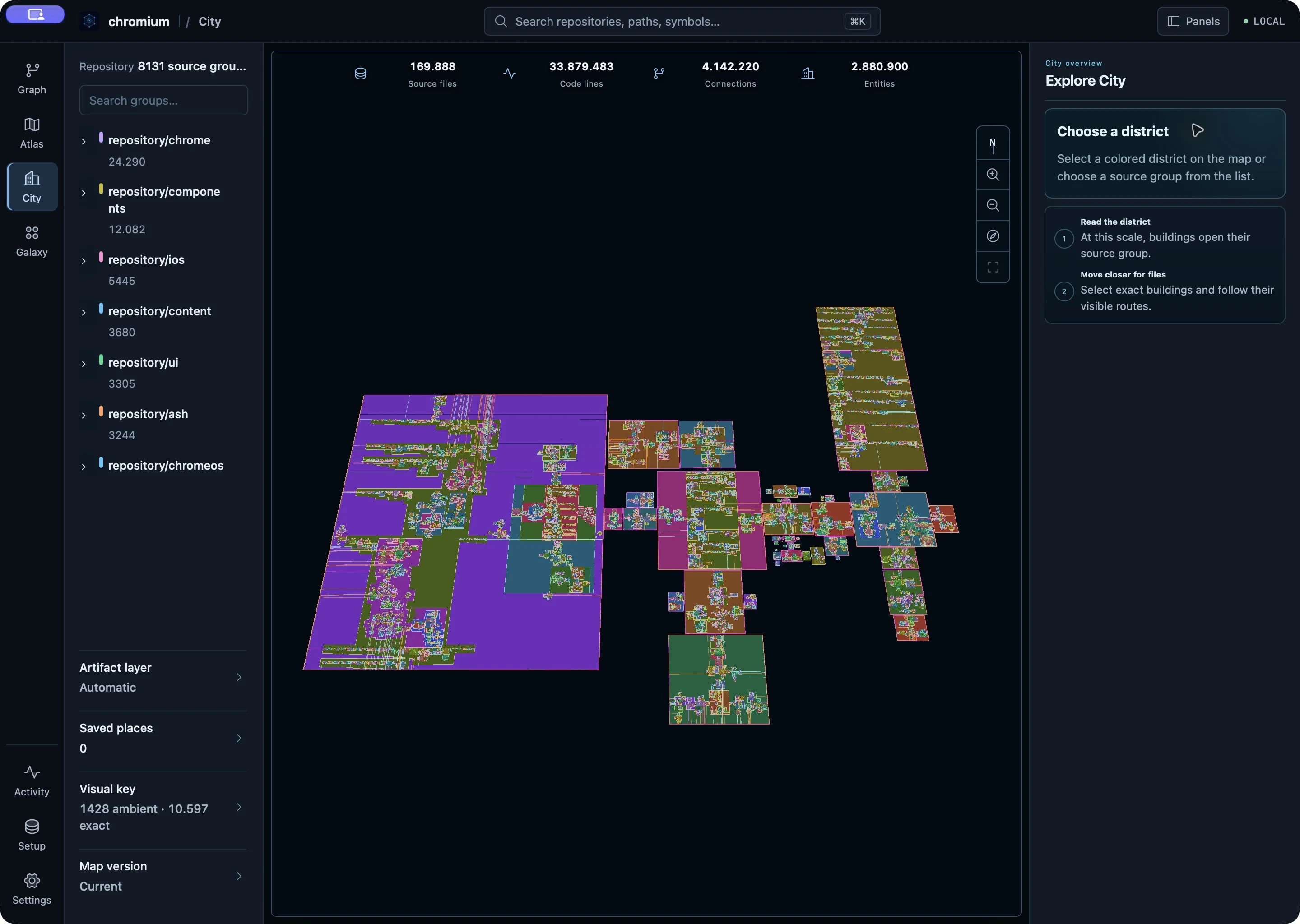
Distinct source regions remain visible at repository scale.
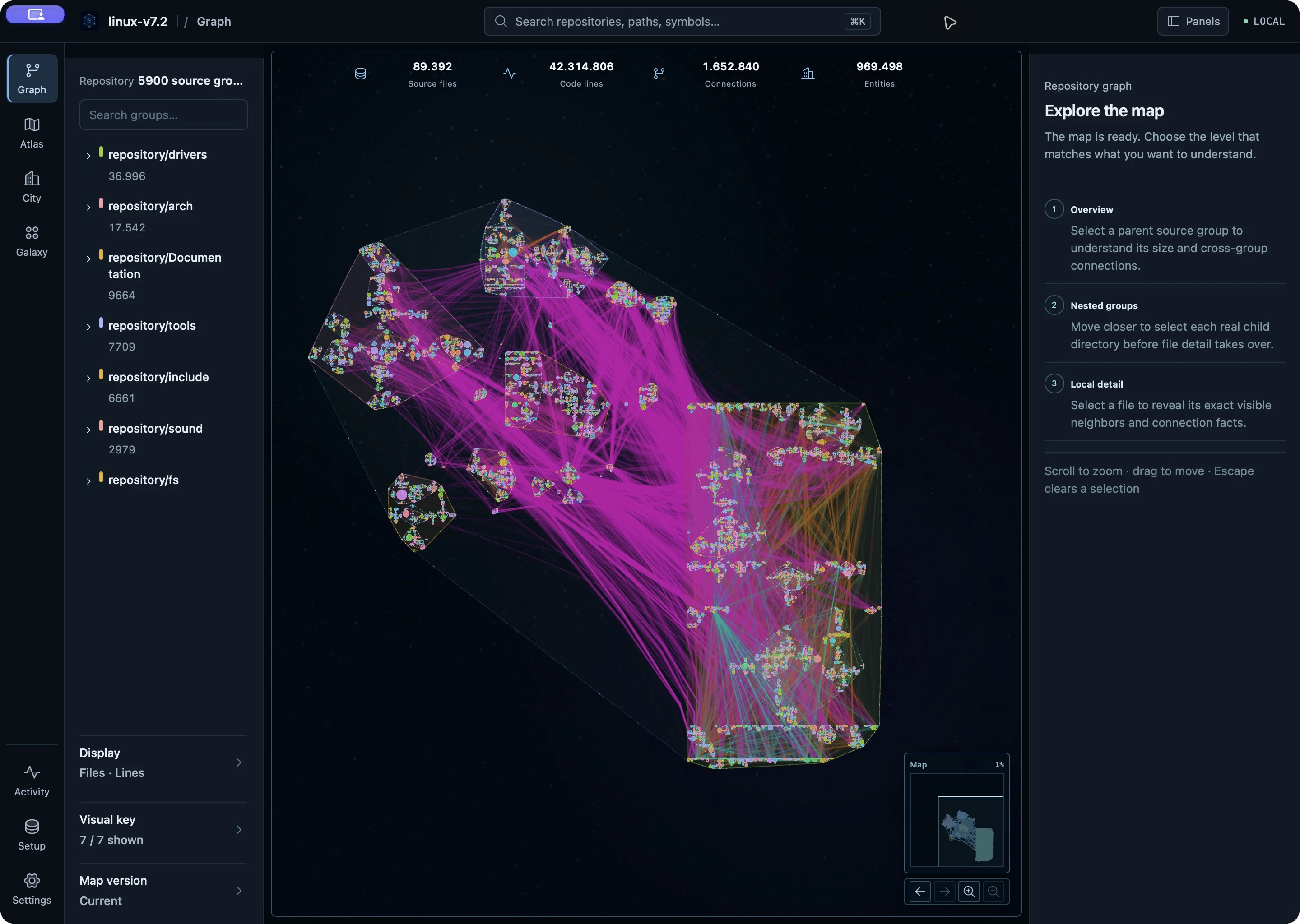
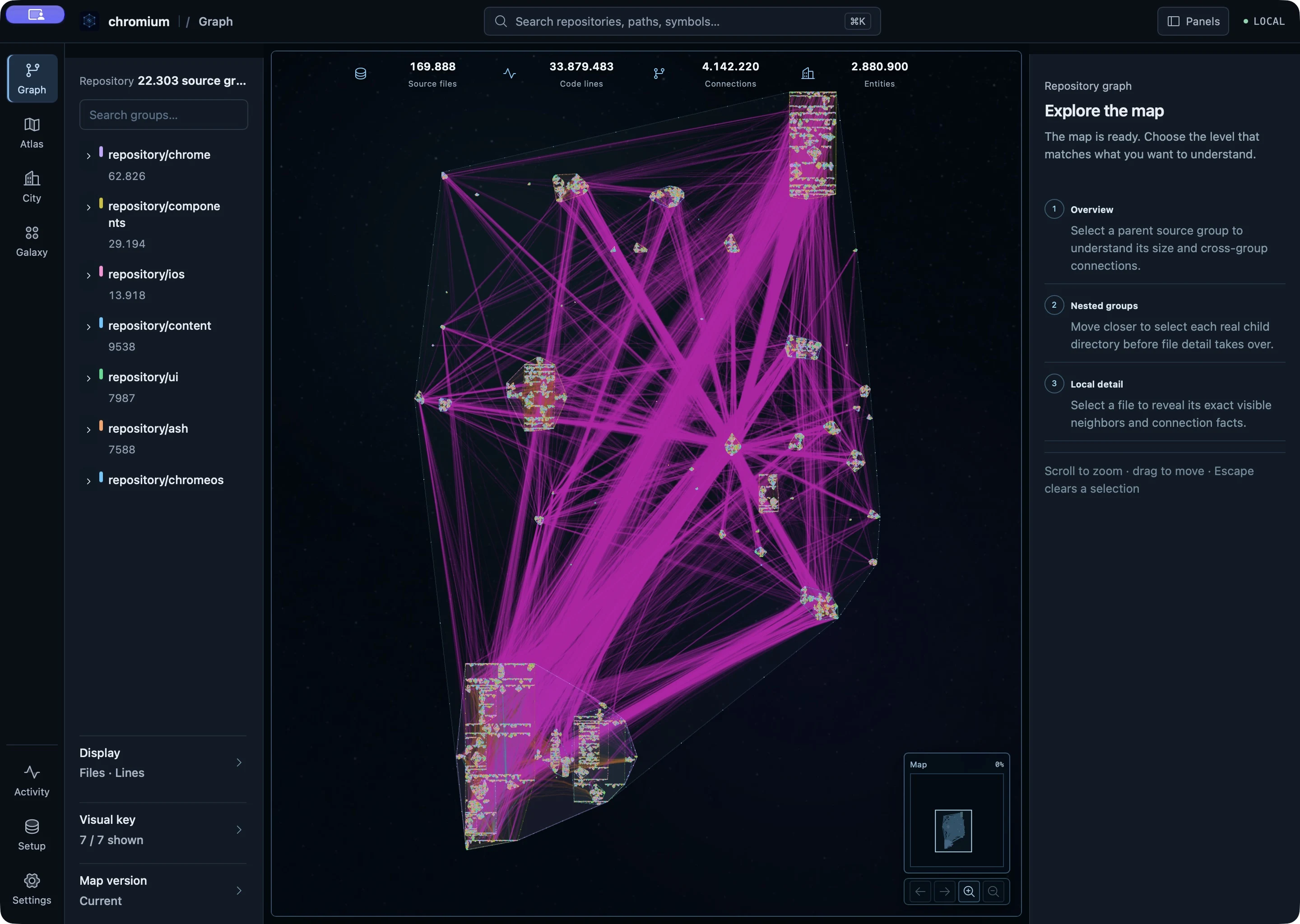
04 / PEOPLE
Complexity grows.
Clarity remains.
Joining a codebase?
Find your bearings in the hierarchy, then follow an unfamiliar area into its files without opening dozens first.
Deep in the code?
Move between structure, relationships and exact source to investigate changes without losing the wider context.
Leading the teams?
CTOs, founders and CEOs can see how systems connect and evolve, giving cross-team discussions a shared frame of reference without reading every file.
05 / AGENTS
A map your agent
can ask.
SRM gives an agent a read-only MCP catalog for mapped discovery, exact source and code relationships. Shell stays in the loop for the live tree, edits, builds and tests.
01 Orient & compare
srm_list_maps- Find ready maps and freshness.
srm_repository_status- Compare the map with checkout HEAD.
srm_repository_summary- Read source-backed counts and languages.
srm_get_changes- See map-to-HEAD and worktree path changes.
02 Discover & inspect
srm_search- Find one unknown symbol or text.
srm_search_many- Explore 2–8 independent queries together.
srm_query_graph- Follow known subjects and relationships.
srm_read_source- Read a bounded, numbered source slice.
03 Understand symbols
srm_investigate_symbol- Inspect declarations and outgoing context.
srm_find_callers- Trace direct incoming calls.
srm_get_symbol_body- Retrieve one known implementation.
srm_get_symbol_bodies- Compare 2–8 implementations.
04 Scope & prioritize
srm_explain_location- Resolve one exact source location.
srm_enrich_matches- Add context to exact source matches.
srm_inspect_scope- Inspect source genealogy and evidence.
srm_rank_refactor_candidates- Rank a declared candidate set by evidence.
Every response carries map authority and coverage. A partial result is not a confident “nothing found.”
Optional map-refresh controls 4 reviewed tools ↗
The canonical profile adds srm_map_refresh_status to read progress, srm_preview_map_refresh to review a plan, srm_execute_map_refresh to run that confirmed plan, and srm_cancel_map_refresh to stop an in-flight attempt. These are not part of the default read-only catalog.
COMPLETED / ADMITTED
Evidence before claims.
We publish measurements from completed runs that passed their declared admission gates. Each result keeps its task, delivery path and limits attached.
Five tasks × five runs per arm; mean wall time fell from 31.6 to 15.6 seconds. This tested host-delivered context, not MCP tool choice.
This is an admitted efficiency observation, not a general speed or answer-quality claim: one fixed-order pair, with blind quality review not completed.
Linux long-horizon and change-replay studies are being qualified with sealed tasks and validity gates. We will publish results after their final review.
06 / PROCESS
From repository to
verified map.
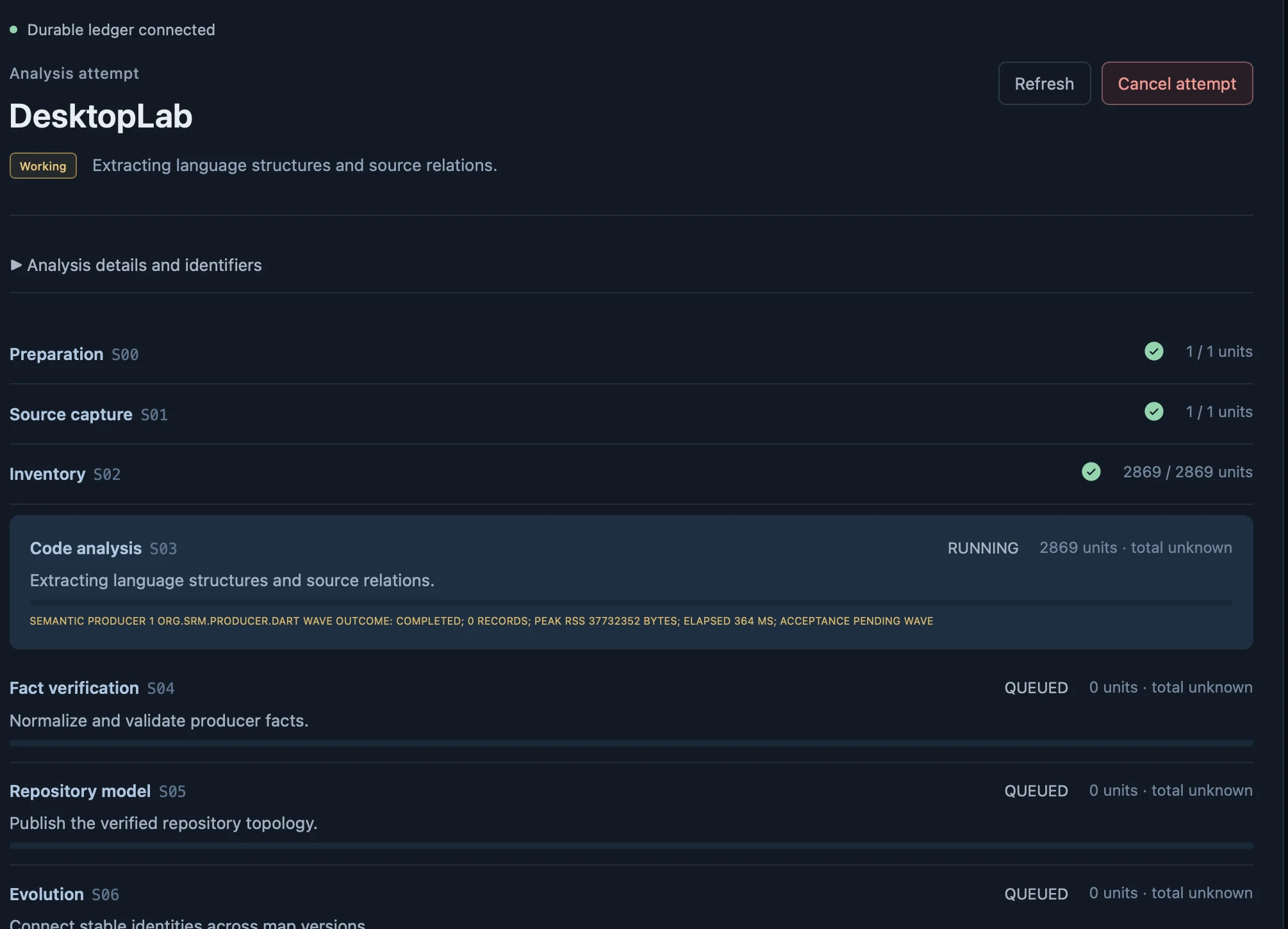
A spatial map takes ten visible stages, S00–S09. SRM captures one exact source revision, inventories and analyzes it, verifies the facts, connects versions, then prepares search, visual representations and persistent geography. Activity shows each stage before the new map becomes ready.
- S00–S02CaptureSource & inventory
- S03–S05ModelCode facts & structure
- S06–S07ConnectEvolution & search
- S08–S09ProjectViews & geography
LOCAL BY DESIGN
Your code stays
on your machine.
SRM maps and explores repositories locally. To discuss a demo, tell us a little about your codebase—never send source code.
Every product visual shown here is a real SRM capture from a MacBook Pro with Apple M4 Pro and 24 GiB of unified memory.